MediaRecorder is not defined. That was MV3's answer when I moved a working recorder out of a
background page.
A Manifest V3 service worker has no MediaRecorder, no getUserMedia, no DOM. Every MV2
recipe for tab recording leaned on the background page being a real page. All of it is gone.
The replacement is an MV3 offscreen document — a hidden page the worker creates, carrying the APIs the worker lacks. Wiring a recorder into one took me two evenings. The API was not the hard part. Working out which piece is allowed to live where was.
The shape of the pipeline
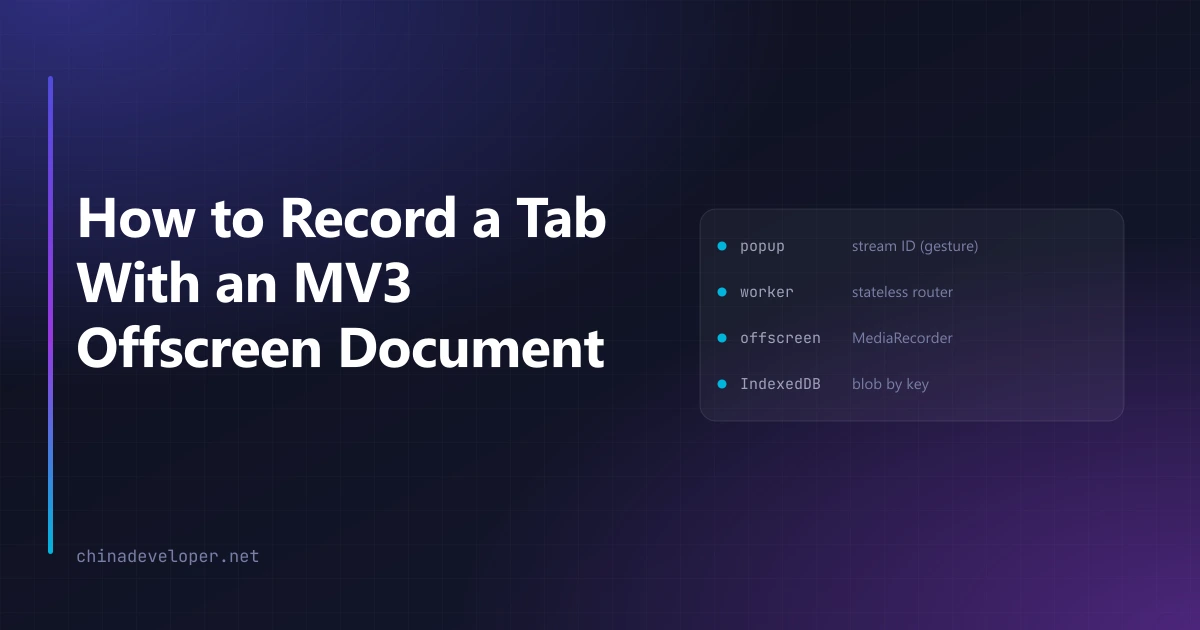
Four contexts, and each one is there for a reason:
popup ──stream ID, inside the gesture──▶ service worker ──▶ offscreen document
 pick inputs and size                     create offscreen           getUserMedia(tab + mic + cam)
                                          hold recording state       canvas composite + audio mix
                                          route the artifact key     MediaRecorder → webm
                                                                     write IndexedDB (uuid key)

preview tab ◀── ?key= ── read IndexedDB → <video> + download
The popup exists in this diagram for one reason, and it is not the UI.
The stream ID has to come from a user gesture
chrome.tabCapture.getMediaStreamId produces a token that the offscreen document later trades
for an actual stream. That call needs a user gesture, which a service worker does not have and
cannot manufacture.
So the token is minted in the popup, at the click, and passed along:
chrome.tabCapture.getMediaStreamId({ targetTabId }, (id) =>
  chrome.runtime.sendMessage({ type: "start", streamId: id, /* … */ })
)
The worker never calls tabCapture at all. It receives a string.
This is the same gesture rule that governs
requesting host permissions at runtime, and
it bites in the same way: put an await in front of the call and the token request fails with an
error that does not mention gestures.
Creating the offscreen document from the service worker
The worker owns the offscreen document's lifecycle:
await chrome.offscreen.createDocument({
  url: "offscreen.html",
  reasons: ["USER_MEDIA"],
  justification: "Record the captured tab stream with MediaRecorder.",
})
Two things to know. Only one offscreen document may exist per extension, so calling this twice
throws — check whether one is already open before creating. And the justification string is
read by a human during review, so write it as an explanation rather than a formality.
"offscreen" also has to be in the permissions array.
Play the tab audio back or your users go deaf
Capturing a tab's audio removes it from the speakers. The page keeps playing and the user hears silence, which during a screen recording feels exactly like a crash.
The fix is to route the captured audio to the destination as well as into the recorder. Do this for the tab stream only. Routing the microphone back produces feedback, which is a worse bug than the one you were fixing, and it will be discovered by whoever is wearing headphones.
The Retina trap
chrome.tabCapture gives you CSS pixels by default. On a Retina display that is half the
resolution the page is really rendering at. The output does not look broken. It looks cheap,
which is harder to diagnose and worse for the product.
Ask for viewport dimensions multiplied by devicePixelRatio in the constraints. This matters
doubly if you zoom in post — a digital zoom into an already-halved image has nothing left.
The cursor is not in the recording
Tab capture records rendered page content. The system cursor is composited by the OS afterwards, so it never appears in your video.
For a demo that is unusable. So the cursor gets drawn instead: a content script injects an overlay that follows pointer events and paints a highlight plus a click ripple. It is part of the page, so it lands inside the captured frames.
There is no double cursor to worry about — the real one was never in the frame. The cost is that the overlay is a content script running in the recorded page. Strict CSP breaks it. So do pages that move the pointer themselves.
The worker will die in the middle of your recording
This is the failure that only shows up in real use. MV3 kills idle service workers, and a worker that is doing nothing but waiting for a recording to finish counts as idle. A twenty-minute recording easily outlives it.
The offscreen document is unaffected — it keeps recording. What dies is everything the worker was holding in a variable: which tab, which settings, whether a recording is even in progress. The worker comes back with none of it. Your stop button then talks to a worker that has no idea a recording exists.
So no recording state lives in worker memory. It goes to chrome.storage, and the worker reads
it back on every message:
// Not: let current = { tabId, startedAt }   ← gone on the next respawn
await chrome.storage.local.set({ recording: { tabId, startedAt, settings } })
Treat the worker as a stateless router between the popup and the offscreen document. That was the single change that made long recordings reliable, and I found it the way everyone does — a recording that worked in testing and failed after lunch.
Store the output in IndexedDB, not chrome.storage
A few minutes of webm is tens of megabytes. chrome.storage.local is the wrong tool and will
tell you so.
The offscreen document writes the blob to IndexedDB under a generated key, then hands the worker
just the key. The worker opens a preview tab with ?key=, and that tab reads the blob back out
of the same origin. Only a short string ever travels through the messaging layer.
This also means the recording survives the offscreen document being torn down, which it will be.
What I would tell someone starting this
Build the offscreen document first and drive it from a fake stream. Every part of the pipeline
that is hard to reason about — the canvas composite, the audio graph, the recorder settings, the
IndexedDB write — can be exercised with getUserMedia fake devices, which need no gesture and no
real tab. My end-to-end tests still run that way, because a headless browser cannot produce the
gesture that tabCapture demands.
Then wire the popup last. It is four lines, and by that point they are the only four lines you have not already tested.
Chrome 126 and later can record straight to mp4, which removes a conversion step for recent browsers. I still ship the webm path, because the recorder has to work on whatever the user already has installed.
One last thing, learned the expensive way. Whatever you do to convert or post-process the output, do it in the browser. Reaching for a library that pulls in a remote script is how a sibling extension of mine got rejected for remote hosted code, and a media pipeline is exactly where that temptation is strongest.