The whole promise of ClearKit fits on one line: clear everything,
keep your logins. In the UI that is a checkbox and a list of domains. Underneath it is
several chrome.browsingData.remove() calls that have to be split apart before they are
sent, because chrome.browsingData excludeOrigins does not apply to most of what the user
just asked to clear.
Pass a whitelist together with browsing history in a single call and Chrome rejects it. That is not a bug in the API. It is a constraint nobody mentions until you hit it.
chrome.browsingData excludeOrigins only covers three families
Straight from the browsingData API reference:
To remove data for a specific origin or to exclude a set of origins from deletion, you can use the
RemovalOptions.originsandRemovalOptions.excludeOriginsparameters. They can only be applied to cookies, cache, and storage (CacheStorage, FileSystems, IndexedDB, LocalStorage, ServiceWorkers, and WebSQL).
History is not on that list. Neither are downloads, autofill, saved passwords or plugin data. Those are cleared for the whole profile or not at all — there is no per-site version of "forget this page but not that one".
ClearKit offers thirteen data types, so the split lives in the type table itself rather than getting rediscovered at each call site:
| Data type | Whitelist can protect it? |
|---|---|
cache |
yes |
cookies |
yes |
localStorage |
yes |
indexedDB |
yes |
cacheStorage |
yes |
serviceWorkers |
yes |
fileSystems |
yes |
webSQL |
yes |
history |
no |
downloads |
no |
formData |
no |
passwords |
no |
pluginData |
no |
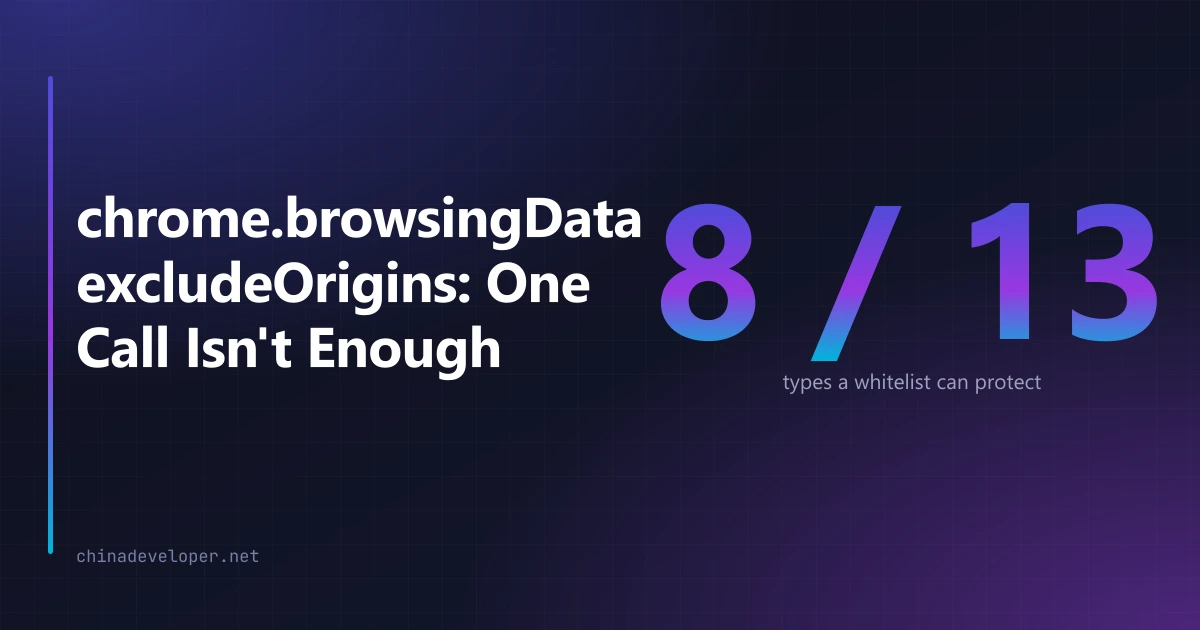
Eight yes, five no. Every one of the five is a type a user would reasonably assume a whitelist covers, which is the real problem — the constraint is invisible in the product unless you go out of your way to show it.
So one clean becomes several remove() calls
The planner is a pure function. It takes the selected types, the time range, the whitelist and the mode, and returns a list of calls to make:
export interface CleanPlan {
	options: {
		since: number
		origins?: string[]
		excludeOrigins?: string[]
	}
	data: Record<string, boolean>
	types: DataTypeKey[]
}
The body splits the selection in two and emits at most one plan per half:
const scoped = uniq.filter((t) => isOriginScoped(t))
const unscoped = uniq.filter((t) => !isOriginScoped(t))
const origins = expandOrigins(whitelist)
Unscoped types go out with a bare { since }. Scoped types go out with the same since plus
either excludeOrigins or origins. Two calls where the user pressed one button.
Keeping this in a pure function with no chrome import mattered more than I expected. The
logic tests run it directly, no browser and no mocks, and the assertion that actually catches
regressions is the boring one: no plan may ever carry origins alongside a type that cannot
accept it.
since is a timestamp, not a window
The other half of RemovalOptions is easier to get wrong than it looks. since is an
absolute millisecond timestamp — the moment to delete forward from — not a duration to look
back over. ClearKit offers twelve ranges from one minute to all time, and every one of them
resolves to a point on the clock:
export function sinceForRange(key: TimeRangeKey, now: number): number {
	const def = TIME_RANGES.find((r) => r.key === key)
	if (!def || def.minutes === null) return 0
	return now - def.minutes * 60_000
}
All time is 0, which is the epoch, not a magic value. Passing a duration here instead —
60_000 for the last minute, say — asks Chrome to delete everything since January 1970, and
it will do exactly that without complaining. The parameter takes both numbers happily.
now is an argument rather than a Date.now() call inside the function, which is what lets
the logic tests pin a fixed clock and assert on exact values. It also makes the lifetime of a
plan explicit: the timestamp is baked in when the plan is built, so a plan held for thirty
seconds before it is sent deletes thirty seconds less than the user selected.
Cookies are excluded by registrable domain, everything else by exact origin
This is the part that quietly breaks a whitelist. Same reference page, further down:
As cookies are scoped more broadly than other types of storage, deleting cookies for an origin will delete all cookies of the registrable domain. For example, deleting data for
https://www.example.comwill delete cookies with a domain of.example.comas well.
Cookies are forgiving, then: name any host under the domain and the whole registrable domain
is covered. Local storage and IndexedDB are not. Those match the origin exactly, and
https://example.com and https://www.example.com are two different origins holding two
different piles of data.
Whitelist example.com naively and you protect the cookies but wipe the IndexedDB behind
www.example.com, which on a lot of sites is where the session state actually lives. The
user stays logged in and loses their local state — a worse outcome than either extreme.
The fix is to expand every whitelisted domain into all four origins:
export function expandOrigins(domains: string[]): string[] {
	const out: string[] = []
	const seen = new Set<string>()
	for (const raw of domains) {
		const d = normalizeDomain(raw)
		if (!d) continue
		const hosts = d.startsWith("www.") ? [d, d.slice(4)] : [d, `www.${d}`]
		for (const h of hosts) {
			for (const scheme of ["https", "http"]) {
				const o = `${scheme}://${h}`
				if (!seen.has(o)) {
					seen.add(o)
					out.push(o)
				}
			}
		}
	}
	return out
}
One domain in, four origins out: https://example.com, https://www.example.com, and both
again over http. The http variants look pointless in 2026 and are not — plenty of
localhost and intranet entries in a real whitelist never got a certificate.
That only handles the www case. A site keeping its session on app.example.com still needs
that subdomain typed in, and the extension does not guess. Guessing wrong here means deleting
something the user explicitly asked to keep.
Normalisation sits in front of all of it. normalizeDomain lowercases the input, strips the
scheme, path, query and port, drops stray leading and trailing dots, and returns an empty
string when it cannot make sense of what was typed — at which point the UI refuses the entry
outright. Accepting it and silently protecting nothing is the failure mode worth avoiding
here, because the user has no way to tell the difference until their session is gone.
"Only these domains" mode has a hole in it
The whitelist runs in two directions: protect these, or clear only these. The second looks symmetrical to the first and is not.
if (unscoped.length && mode !== "only") {
	plans.push({ options: { since }, data: toRemovalData(unscoped), types: unscoped })
}
In only mode the unscoped types are dropped from the plan entirely. There is no way to
delete history for a single site through this API, so the choice is between skipping it and
deleting the user's entire history when they asked about one domain. Skipping is the only
defensible answer, and it means "clear only example.com" quietly does less than the words
promise.
The UI says so rather than papering over it, because it is not fixable at this layer.
chrome.history can delete a URL range, so a future version could do a targeted sweep — at
the cost of another permission on a product whose whole pitch is that it asks for very
little — or of
requesting it at runtime from the
people who actually want that mode. Permissions I could not justify are also what I have been
rejected by Chrome Web Store for more than anything
else, so that trade is not free either.
The check that would have saved me the most time
Before wiring any of it up: for every data type you offer, write down whether a whitelist can reach it, and whether it matches by origin or by registrable domain. Three columns, thirteen rows. That table is the entire design. I built the feature twice because I wrote it after the code instead of before it.
What I still cannot verify is the outcome. browsingData.remove() resolves with nothing — no
count, no list of what it touched, no signal that excludeOrigins matched a single origin. I
can assert on the plans my code builds, and I do. Whether Chrome then protected the origins I
passed is something I confirm by logging into a site, running a clean, and seeing whether I am
still logged in.